GrammarlyGO Review: The AI Assistant Integrated into Your Writing Workflow
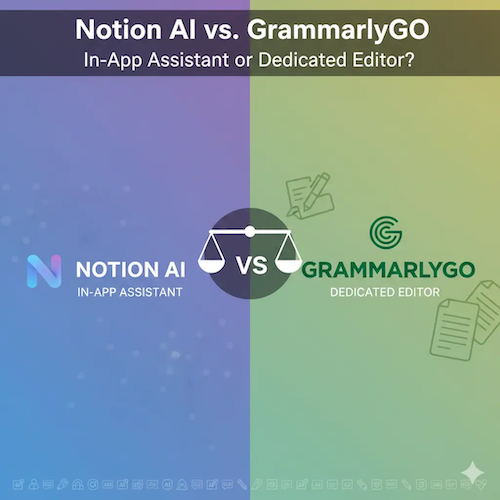
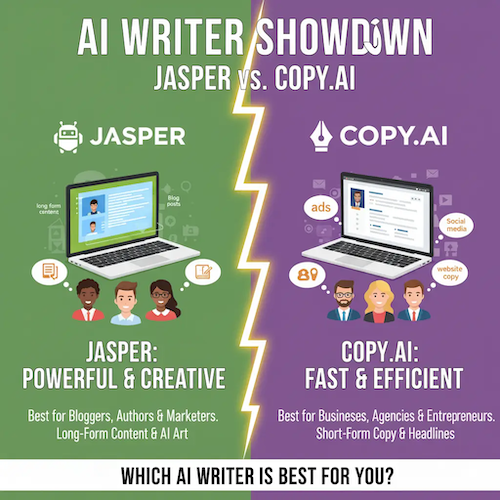
GrammarlyGO represents Grammarly’s evolution from a simple grammar and spell checker to a full-fledged generative AI assistant. Unlike dedicated AI writers like Jasper or Copy.ai, GrammarlyGO is designed to enhance the existing writing process rather than replace it. Its core strength lies in its deep integration across various platforms and its ability to provide contextual, in-line suggestions and generation capabilities, making it an indispensable tool for anyone who writes frequently—from students and professionals to content marketers.
This review explores how GrammarlyGO leverages its unique position within the Grammarly ecosystem, its generative features, and how it compares to the broader capabilities of general-purpose AI models like ChatGPT.
E-E-A-T Analysis: Trustworthy Authority in Writing Assistance
GrammarlyGO inherits the strong Authority and Trustworthiness built by Grammarly over more than a decade. Its E-E-A-T profile is defined by its long-standing expertise in language mechanics and its seamless integration into the user’s workflow.
Expertise: Contextual Language Mastery
Grammarly’s expertise is unmatched in the realm of correctness, clarity, and tone. GrammarlyGO extends this by using generative AI to not only fix errors but to rewrite, summarize, and ideate based on the context of the document. This makes it an expert in refining existing text, a function where it often surpasses general AI models [1].
Experience: Seamless In-Line Assistance
The user experience is defined by its convenience. GrammarlyGO operates directly within the user’s writing environment (Gmail, Google Docs, Microsoft Word, browser text fields), offering suggestions and generative commands without requiring the user to switch applications. This frictionless experience is a major advantage over web-based AI tools.
Trustworthiness: Privacy and Data Security
Grammarly maintains a strong commitment to user privacy, which extends to GrammarlyGO. The tool is trusted by millions of users and numerous enterprises, providing a high level of confidence in its security protocols, especially when handling sensitive documents [2].
Core Features: Generative AI for Refinement
GrammarlyGO’s features are focused on assisting the user in real-time:
- Compose and Ideate: Generates outlines, brainstorms ideas, or drafts entire sections based on a prompt and the existing document context.
- Rewrite and Refine: Offers instant options to rewrite sentences for clarity, change the tone (e.g., from formal to casual), or shorten/lengthen text.
- Summarize: Quickly generates concise summaries of long documents or emails.
- Reply Suggestions: In email clients, it can draft entire replies based on the content of the incoming message, saving significant time.
Pricing and Plans: Integrated Value
GrammarlyGO is integrated into the existing Grammarly subscription tiers. The value is bundled with Grammarly’s premium features like advanced style checks and plagiarism detection.
| Plan | Approx. Cost (Per Month, Billed Annually) | GrammarlyGO Access |
|---|---|---|
| Free | $0 | Limited monthly prompts (e.g., 100 prompts). |
| Premium | $12 | Increased monthly prompts (e.g., 500 prompts) and full access to advanced features. |
| Business/Enterprise | $15+ | High volume of prompts, centralized billing, and advanced admin controls. |
The free tier offers a generous introduction to GrammarlyGO, but serious users will need the Premium plan to unlock sufficient generative capacity for daily use [3].
GrammarlyGO vs. General AI Chatbots
The primary comparison for GrammarlyGO is with tools like ChatGPT, which offer broader generative capabilities:
- GrammarlyGO: Excels at refinement, correction, and contextual assistance. It is the superior tool for ensuring existing text is clear, correct, and on-brand.
- ChatGPT: Excels at pure generation, brainstorming, and complex, multi-step tasks (e.g., coding, data analysis). It is less convenient for in-line editing and lacks Grammarly’s deep understanding of grammatical nuances.
Pros and Cons: The AI Rater Verdict
| Pros (Advantages) | Cons (Disadvantages) |
|---|---|
| ✅ Unmatched Integration: Works seamlessly across almost all writing platforms and apps. | ❌ Prompt Limits: Generative features are restricted by monthly prompt limits, even on paid plans. |
| ✅ Contextual Awareness: Generates output based on the surrounding text, leading to highly relevant suggestions. | ❌ Less Creative Generation: Not designed for high-volume, long-form content creation like dedicated AI writers. |
| ✅ Superior Refinement: Best-in-class for improving clarity, tone, and correctness of existing drafts. | ❌ Cost Barrier: Full generative access requires a paid Grammarly subscription, which may be redundant if the user already relies on another AI tool. |
Final Verdict and AI Rater Score
AI Rater Score: 9.0/10 (Best AI for In-Line Writing Assistance and Refinement)
GrammarlyGO is not a replacement for dedicated AI writers, but a powerful complement. It transforms the act of editing and refining into a collaborative process with AI. For anyone who values correctness, clarity, and seamless integration into their daily writing tasks, GrammarlyGO is the definitive choice.
Recommendation: Choose GrammarlyGO if you are a professional, student, or content creator who needs an AI to refine, correct, and quickly generate text directly within your existing documents and communication tools.
Frequently Asked Questions (FAQ)
Is GrammarlyGO included in the free Grammarly plan?
Yes, the free plan includes a limited number of monthly prompts for GrammarlyGO. Premium and Business plans offer a significantly higher prompt allowance.
How does GrammarlyGO differ from ChatGPT?
GrammarlyGO is an integrated writing assistant focused on refinement, correction, and contextual generation within documents. ChatGPT is a general-purpose chatbot focused on broad content generation, brainstorming, and complex tasks.
Can GrammarlyGO help with academic writing?
Yes, GrammarlyGO can help with academic writing by improving clarity, tone, and structure, and by providing quick summaries and paraphrasing options. However, users should always verify generated content for accuracy and proper citation.
Does GrammarlyGO check for plagiarism?
Grammarly’s Premium and Business plans include a separate plagiarism checker, but GrammarlyGO’s generative features are distinct from the plagiarism detection tool.
References and External Sources
- [1] Grammarly Blog: Grammarly vs. ChatGPT: Choosing the Right AI Assistant – Comparison of core functions.
- [2] Grammarly Official Website: Artificial Intelligence (AI) at Grammarly – Details on their AI philosophy and security.
- [3] Grammarly Official Pricing Page – Current pricing and plan details.
About the Author