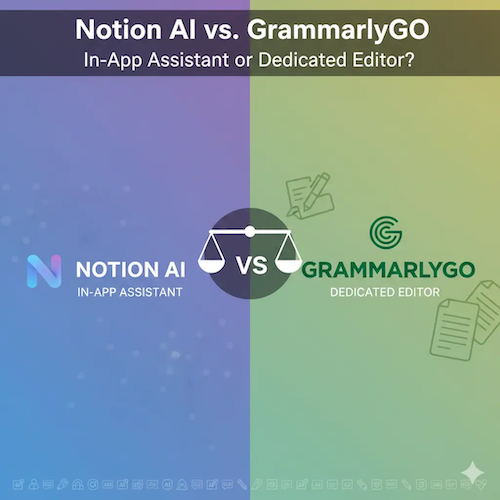
Notion AI vs. GrammarlyGO: In-App Assistant or Dedicated Editor?
The integration of Artificial Intelligence into our daily workflows has given rise to two distinct categories of writing assistants: the integrated workspace AI and the dedicated, cross-platform editor. In this comparison, we pit two leading examples against each other: Notion AI, the powerful assistant built directly into the Notion workspace, and GrammarlyGO, the generative AI feature of the ubiquitous writing editor, Grammarly. The choice between them fundamentally comes down to where you do the majority of your work and what your primary goal is—content generation within a structured environment, or real-time refinement across all applications.
This analysis will explore the core differences in their approach, evaluate their respective E-E-A-T profiles, and determine which tool provides the superior experience for different types of users, from project managers to professional writers.
E-E-A-T and Core Philosophy: Contextual Power vs. Linguistic Authority
The E-E-A-T (Expertise, Experience, Authority, Trustworthiness) of these two tools is built on entirely different foundations.
GrammarlyGO: Linguistic Authority
Grammarly’s long-standing Authority is in linguistic correction and refinement. For years, it has been the gold standard for grammar, spelling, and tone checking. GrammarlyGO extends this authority into generative AI, leveraging its deep understanding of language rules to not only correct but also to draft, rewrite, and reply. Its Trustworthiness is high because its core function is to ensure clarity and correctness across virtually every digital platform [1].
Notion AI: Contextual Expertise
Notion AI’s Expertise is rooted in context and structure. As an integral part of the Notion workspace, it has access to the user’s entire knowledge base—notes, databases, project plans, and meeting summaries. This contextual awareness allows it to perform tasks that GrammarlyGO cannot, such as summarizing a database of meeting notes or generating a project plan based on existing tasks. Its Experience is seamless, as it operates directly where the data lives, eliminating the need to copy and paste.
Feature Showdown: Generative Power vs. Editing Precision
While both tools offer generative AI capabilities, their feature sets are optimized for their respective environments.
Core Generative Capabilities
Both Notion AI and GrammarlyGO can perform standard generative tasks like brainstorming, summarizing, and drafting content. However, Notion AI offers a wider range of AI Writing Templates tailored to its workspace, such as generating action items from meeting notes, summarizing long documents, or translating text within a page. This is a significant advantage for users who manage complex information within Notion [2].
Editing and Refinement
This is GrammarlyGO’s domain. While Notion AI can improve text, GrammarlyGO’s underlying technology is a dedicated editor. It provides real-time, granular feedback on grammar, clarity, engagement, and delivery. GrammarlyGO can rewrite sentences for a specific tone, shorten text, or generate a reply in an email client—tasks that leverage its cross-platform presence and deep linguistic engine.
Integration and Workflow
The integration model is the most critical difference:
- Notion AI: Deeply embedded within the Notion app. It is activated via a simple command (`/ai`) and operates directly on the content blocks and databases within the workspace. Its power is maximized when working with structured data inside Notion.
- GrammarlyGO: Operates as a layer across the entire digital ecosystem (browser extensions, desktop apps, mobile keyboards). It works everywhere you write—in Gmail, Slack, Google Docs, and more. This ubiquity makes it the ultimate dedicated editor for consistent writing quality across platforms.
| Feature | Notion AI | GrammarlyGO |
|---|---|---|
| Primary Focus | Contextual generation, workflow automation, knowledge management | Linguistic refinement, cross-platform editing, real-time correction |
| Integration Model | Deeply embedded within the Notion workspace (in-app) | Cross-platform layer (browser, desktop, mobile) |
| Access to Context | Full access to Notion pages, databases, and knowledge base | Limited to the current text field or document |
| Real-Time Grammar/Clarity Check | Basic (improving) | Advanced, industry-leading |
| Use Case Templates | Extensive, tailored to Notion’s structure (e.g., database summaries) | Focused on writing tasks (e.g., email replies, tone adjustment) |
| Pricing Model | Add-on subscription to Notion plans | Integrated into Grammarly Premium/Business plans |
Use Cases and Workflow Efficiency
The ideal user for each tool is defined by their primary workflow:
Notion AI: The Knowledge Manager and Project Planner
Notion AI is invaluable for anyone who uses Notion as their central hub for project management, documentation, and knowledge sharing. Its most powerful use cases involve leveraging the structured data within the workspace [3].
- Summarizing Meetings: Quickly generate a summary and action items from a long meeting transcript stored in a Notion page.
- Drafting Documentation: Generate a first draft of a product spec or company policy based on existing notes and requirements.
- Database Management: Ask the AI to fill in properties or generate descriptions for items in a database.
For a deeper dive into its capabilities, see our dedicated Notion AI Review.
GrammarlyGO: The Communicator and Editor
GrammarlyGO is the tool of choice for anyone whose work involves constant communication and a need for impeccable writing quality across multiple platforms.
- Email Productivity: Generate quick, context-aware replies in Gmail or Outlook, or instantly adjust the tone of a draft email.
- Social Media and Ads: Ensure all external communication is clear, engaging, and error-free, regardless of the platform.
- Editing External Documents: Use the desktop app or browser extension to refine text in Google Docs, Slack, or any other text editor.
For a detailed look at its parent product, refer to our GrammarlyGO Review.
Pricing and Value Proposition
The pricing models reflect the tools’ integrated nature. Neither is a standalone product; they are add-ons to existing, robust platforms.
| Tool | Pricing Model | Value Proposition |
|---|---|---|
| Notion AI | Add-on subscription (e.g., $10/month per member) to a paid Notion plan. | Seamless integration and contextual power within the Notion workspace. |
| GrammarlyGO | Included with Grammarly Premium or Business plans. | Ubiquitous, high-quality editing and generative assistance across all writing platforms. |
The value of Notion AI is tied to the value of the Notion workspace itself. If you live in Notion, the AI add-on is a force multiplier. The value of GrammarlyGO is its portability and its core strength in linguistic quality. For users who write across many different applications, GrammarlyGO offers a more centralized solution for maintaining writing standards [4].
For a comparison with a general AI chat tool, see our ChatGPT Review.
Final Verdict: Contextual Assistant or Dedicated Editor?
The choice between Notion AI and GrammarlyGO is a choice between depth of context and breadth of application. Both are highly effective tools in the “Writing and Content Marketing AI” category, but they solve different problems.
Choose Notion AI if:
- You use Notion as your primary knowledge base, project management tool, or document repository.
- Your most time-consuming tasks involve summarizing, organizing, or generating content based on existing data within Notion.
- You prioritize workflow automation and contextual awareness over universal editing precision.
Choose GrammarlyGO if:
- You need consistent, high-quality writing assistance across all your digital platforms (email, social media, documents).
- Your primary need is real-time grammar, clarity, and tone checking, coupled with generative AI capabilities.
- You value linguistic authority and cross-platform ubiquity.
In many professional settings, these tools are complementary. Notion AI handles the generation and organization of content within the workspace, while GrammarlyGO ensures that all communication leaving the workspace—emails, reports, and social posts—is polished and professional.
References and External Sources
- [1] Shiv Deepak: Grammarly Go vs. Notion AI – Discusses the “one-size-fits-all” nature of GrammarlyGO.
- [2] TextCortex: GrammarlyGO vs. Notion AI: Which is Better? – Highlights Notion AI’s broader range of AI Writing templates.
- [3] Notion Official Comparison: Notion AI vs. Grammarly – Emphasizes Notion AI’s power to draft content and automate tasks.
About the Author